
Audience: PMs/AMs, Onboarding, QA, CSMs
Applies to: All hotel customers using Velma
Owner: PM/AM — Quicktext
Last updated: 2025‑10‑07
Overview
This article defines when and how to scrap hotel‑approved webpages to enrich Velma’s answers beyond dialog configuration. It also describes testing and bug‑reporting procedures.
What is scrapping? Reading public content from certified hotel links and mapping it to Q‑Data so Velma can answer facts not stored in dialogs (e.g., specific fees, inclusions, hours).
Prerequisites
-
A list of certified hotel links (provided by the property or validated by PM/AM).
-
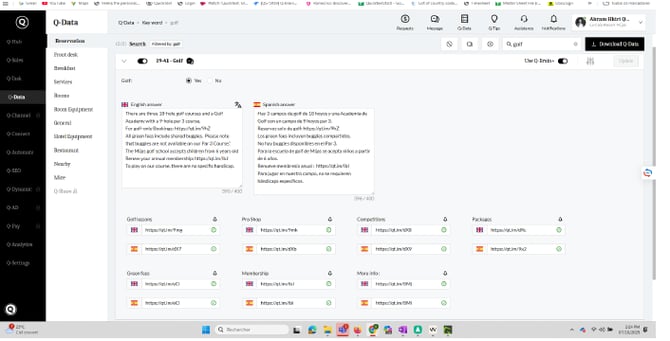
Access to Q‑Data for the property.
-
Access to the Velma2025 → Bug Velma sheet for logging issues.
Allowed Sources (Hotel‑approved only)
Scrapping is only allowed from links provided and certified by the hotel:
-
The official hotel website (Rooms, Spa, Restaurants, Golf, FAQs, etc.)
-
Official fact sheets, brochures, menus, and PDFs hosted by the hotel
-
Official booking engines/sub‑domains explicitly certified by the hotel (e.g., GolfManager, SynXis)
Do use links added to Q‑Data by the hotel or validated by the PM/AM.
Don’t use third‑party blogs, OTAs, social posts, or aggregator sites unless explicitly certified.
Disallowed Targets
Do not scrap content from dialogs that already present carousels, for example:
-
14‑01 Accommodation
-
18‑01 Restaurant in the hotel
-
17‑10 Spa
Rationale: these dialogs are curated; scraping them risks loops, duplication, or stale content.
When to Refrain
-
The page is generic marketing content and lacks concrete details (figures, inclusions, policies).
-
The target data is fully behind dynamic interactions that our scrapper cannot reliably capture.
-
Conflicting details across sources and no clear certification → escalate to PM/AM.
How to Test (Step‑by‑Step)
-
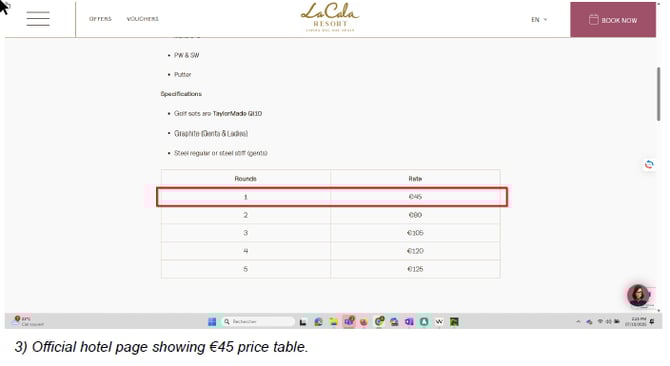
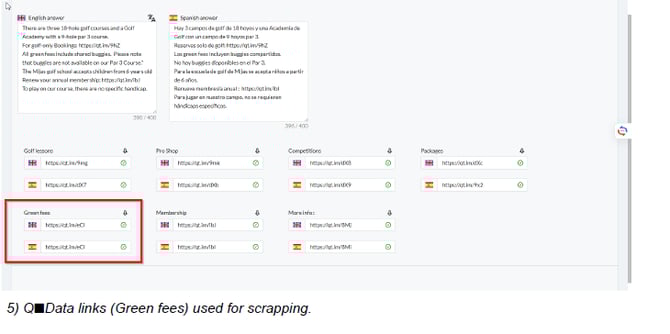
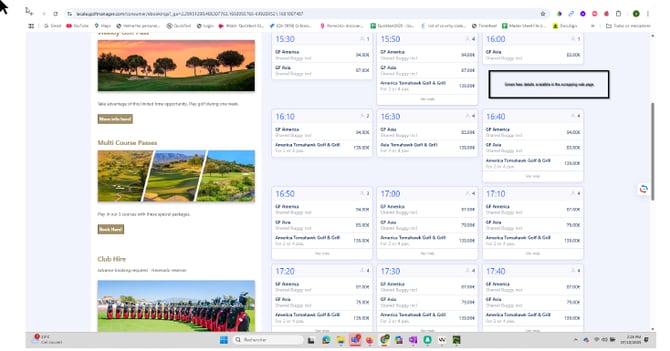
Identify a fact that exists only on a certified page (not in dialog).
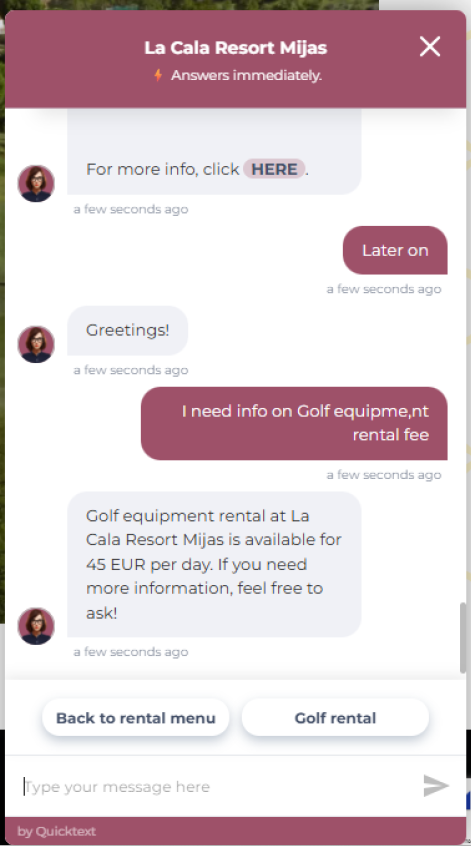
Example: Golf equipment rental fee €45 on the official Golf/Club‑Hire page. -
Ask Velma a question whose answer should come from that page.
Example: “I need info on golf equipment rental fee.” -
Expected: Velma answers with the value from the certified page (e.g., €45 per day).
-
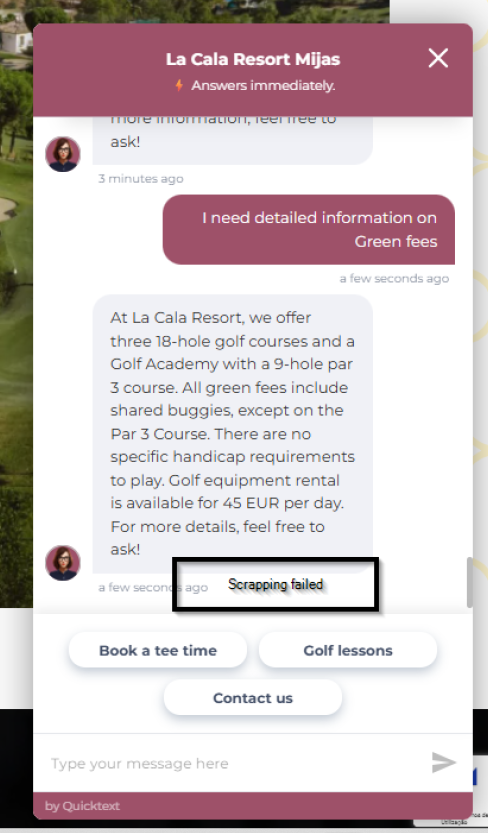
If the answer is wrong/missing, proceed to Reporting Workflow.
Reporting Workflow (Bugs & Follow‑up)
If scrapping doesn’t work or produces errors:
-
Log a bug in Velma2025 → sheet Bug Velma.
-
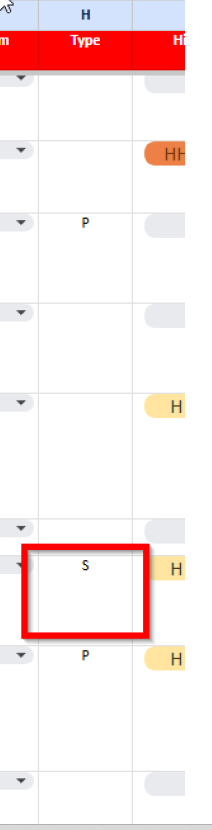
In column H (header Type), set label to S (Scrapping).
-
Include: hotel, certified link, expected vs seen, your screenshots (chat + page section + Q‑Data link), name/date.
-
Notify the owning engineer/PM and share the row link.
-
Follow up until status = Resolved.
-
Once resolved, re‑test the same question and add “Re‑tested OK” with date/initials in the notes column.
Minimal Checklist (use before/after each scrapping task)
-
Source is hotel‑approved & certified (website, brochure, PDF, official booking engine)
-
Target is not a carousel dialog (14‑01, 18‑01, 17‑10)
-
Page contains useful, specific, stable information
-
Q‑Data mapping is clear (field/link) with correct units
-
Test question relies only on scrapped page
-
Chat result matches the page
-
If failure: log bug (Type = S) and follow up
-
After fix: re‑test and note “Re‑tested OK” + date/initials
Related Articles
-
Q‑Data: Adding and validating hotel links
-
Dialog design: Using carousels vs. deep‑link CTAs
-
QA: Periodic verification of price/fee answers