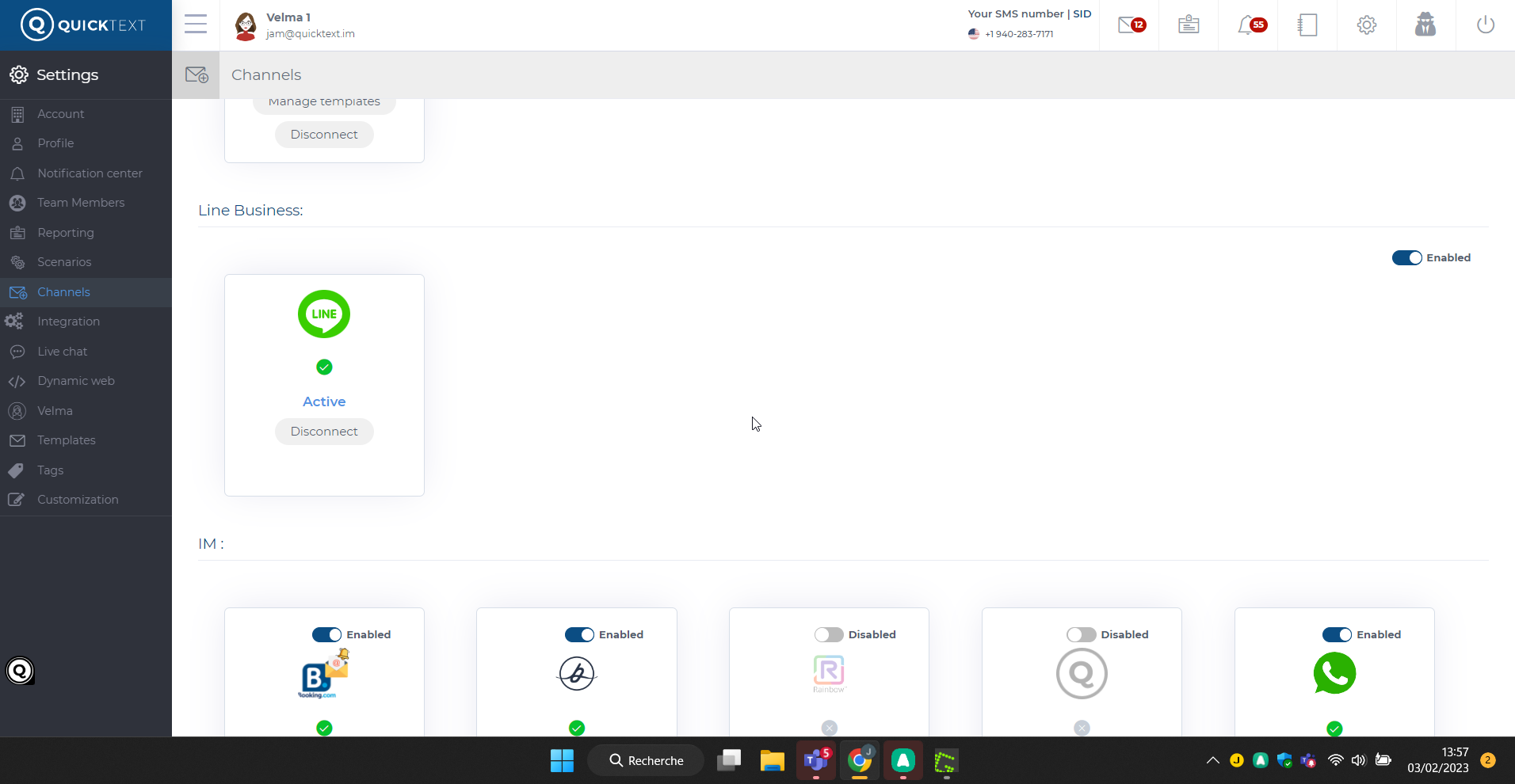
In order to connect your LINE account to Quinta, you need to grant QuintaAdministrator access to two accounts from LINE:
LINE business manager account
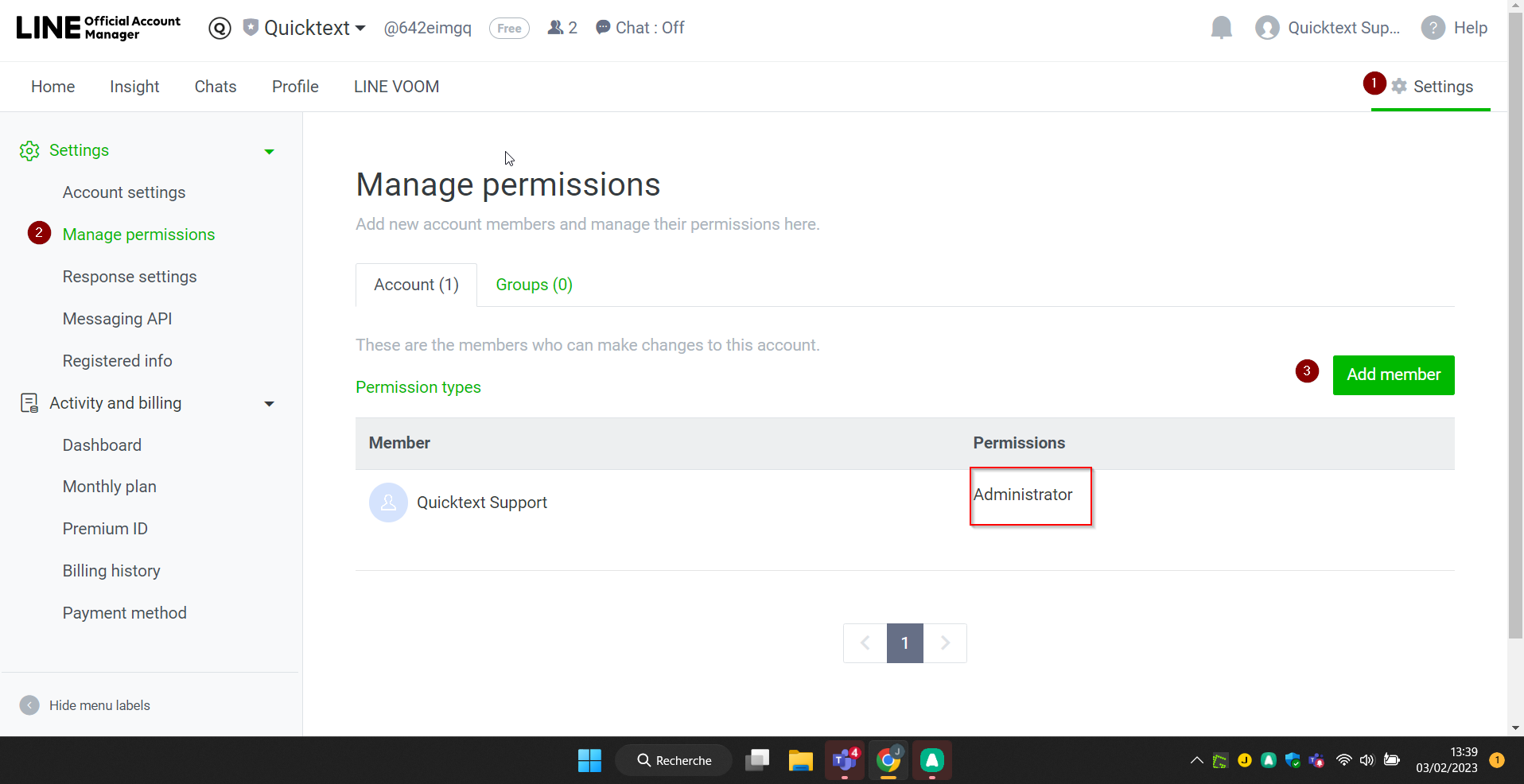
1-Access this link https://manager.line.biz/
2-Follow the screenshots steps below:
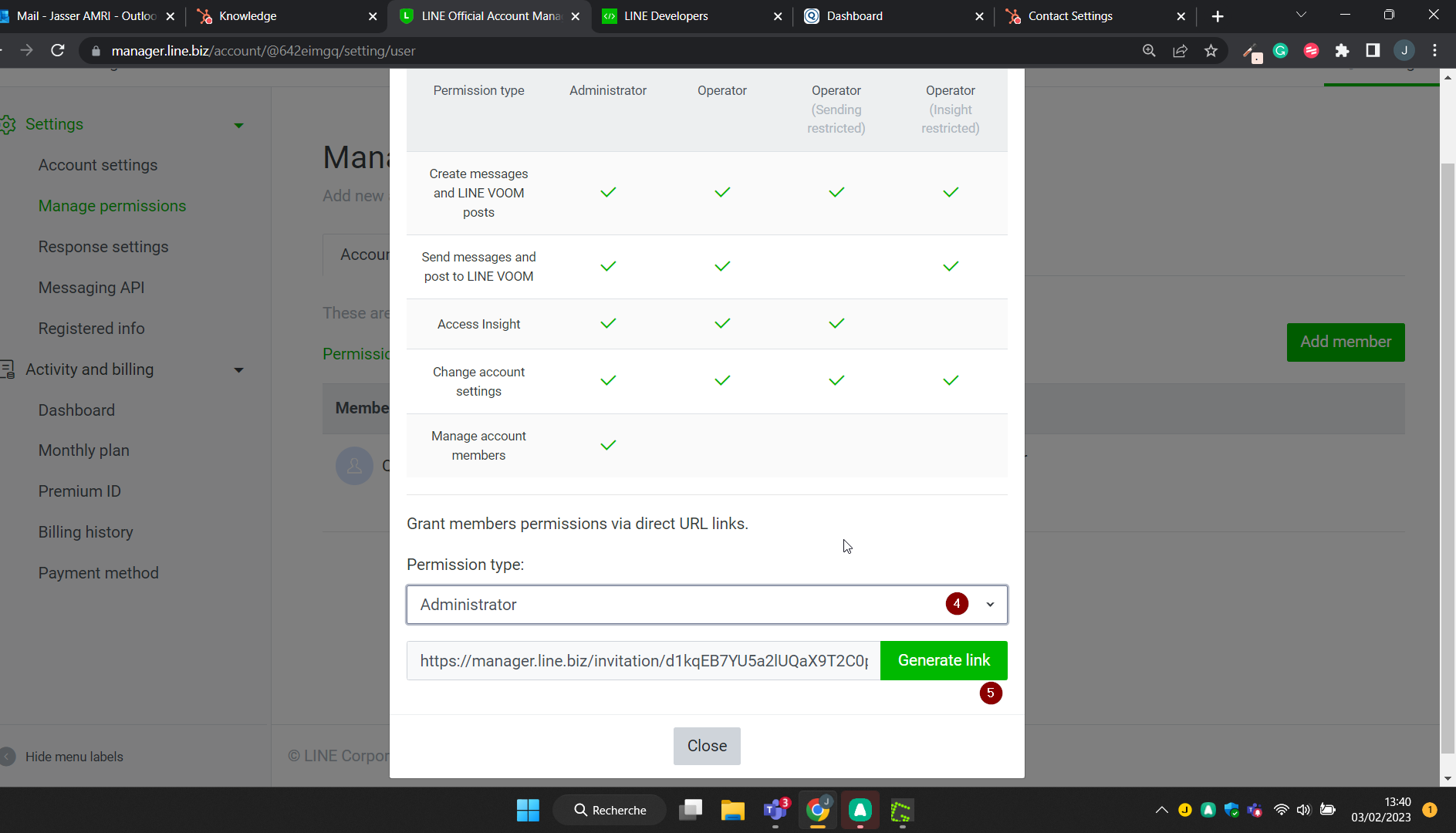
3-Copy and send the link generated to your Quinta Account Manager.
LINE Devloppers console
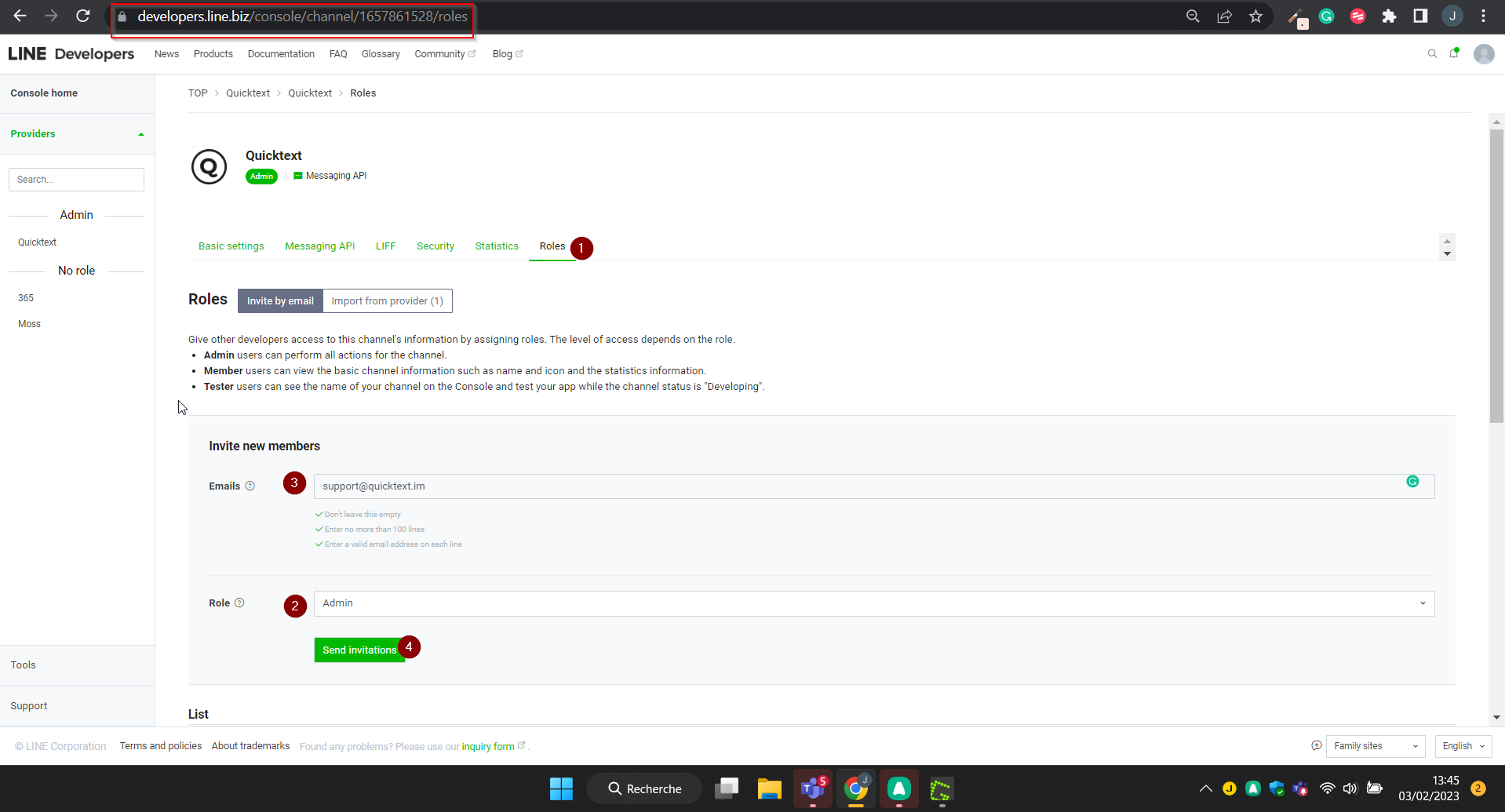
1-Access https://developers.line.biz/console/
2-Grant our email support@quinta.im Administrator on your developer's console:
Please note that once your QuintaAM connects to your LINE account. Velma will handle your incoming messages. You need to message incoming messages from the Quinta dashboard. Otherwise, every time you connect to your LINE Manager to handle messages, the Quinta integration will break.
If you want to send a manual reply, you can interrupt Velma from Quinta Dashboard.
Please advise your team accordingly and make sure they have sufficient access to Quinta.
It takes time to adopt a new communication channel into the SOP and now is the time to start relying in automation to better service your guest on-site.-png.png)
You can check the health of your LINE integration from the Quinta dashboard:
If it's Active: everything should be working fine.
if it's Inactive: it means someone manually answered from LINE and disabled the Quinta integration. in that case, reach out to your Quinta AM to establish the connection.