GIATA–Booking.com integration is included in your Q-Channel > Q-Sync package. Your images will sync automatically once you:
- Select GIATA as your connectivity provider in the Booking.com extranet.
- Complete the steps listed below.
Quinta will handle the synchronization launch on its end.
Important
All images previously uploaded to Booking.com will be deleted once the update by GIATA has been completed.
Open the Booking.com Quick Connect link and sign in to your Booking.com extranet.
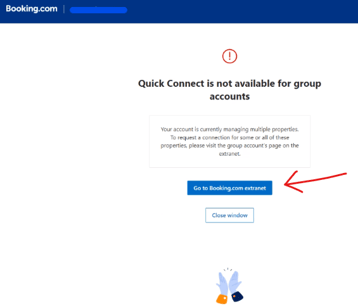
Hotel groups: in some cases, the page below appears first. Click “Go to Booking.com extranet” to continue the setup as usual.
Select GIATA as your provider.
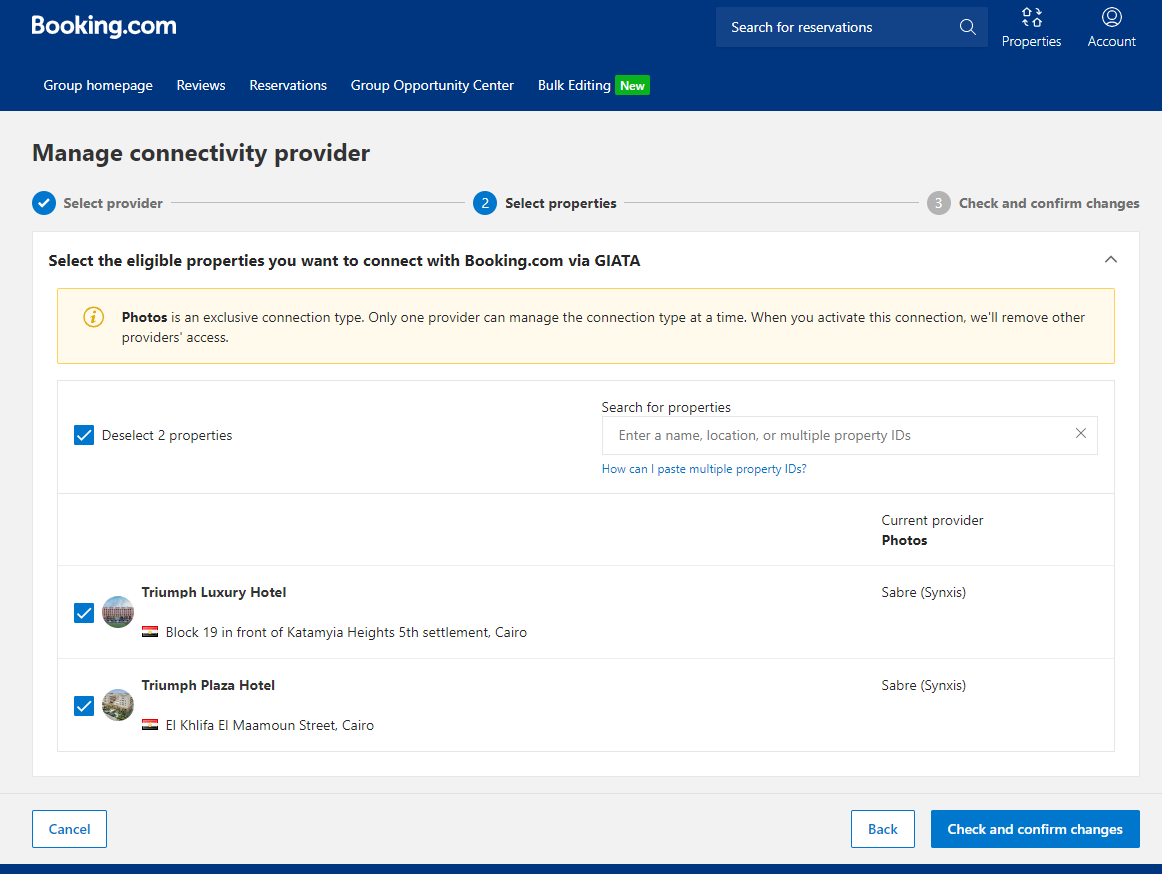
Step 3. Select propertiesSelect the properties you want to connect with Booking.com via GIATA, then click “Check and confirm changes”.
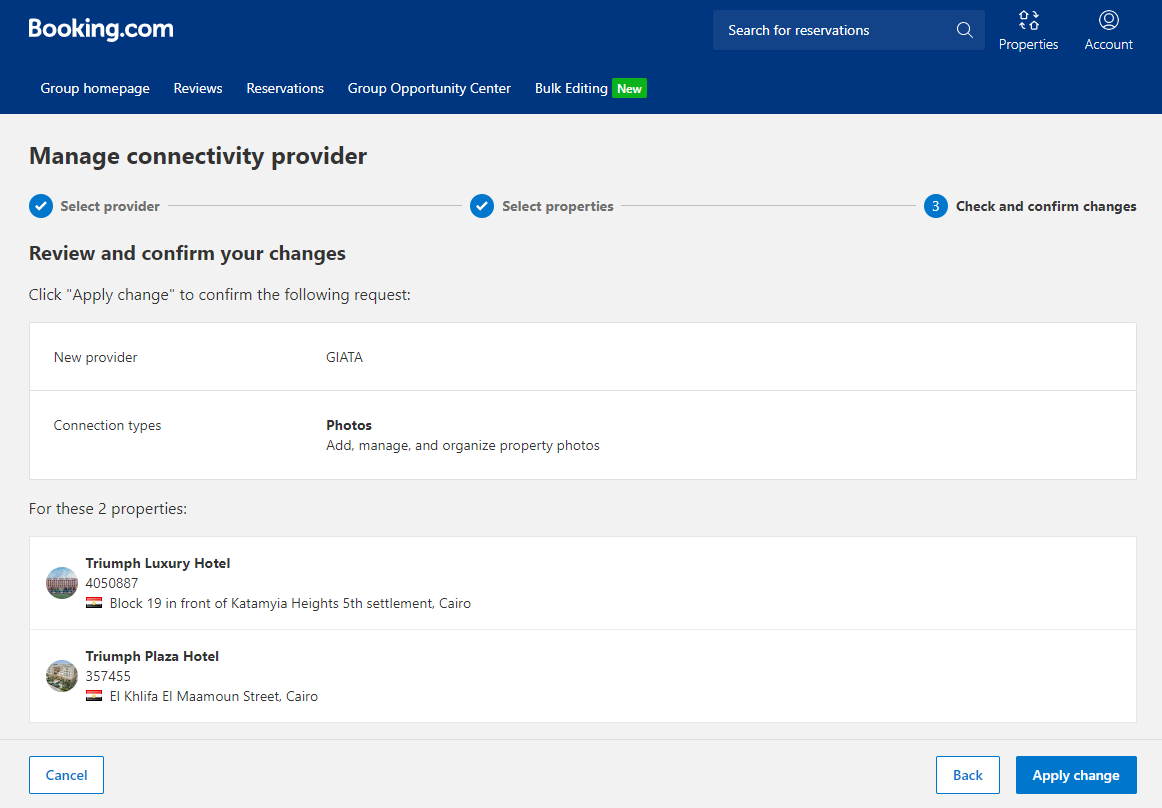
Check that the new provider is GIATA and the connection type is Photos, then click “Apply change”.
A confirmation message is then displayed.
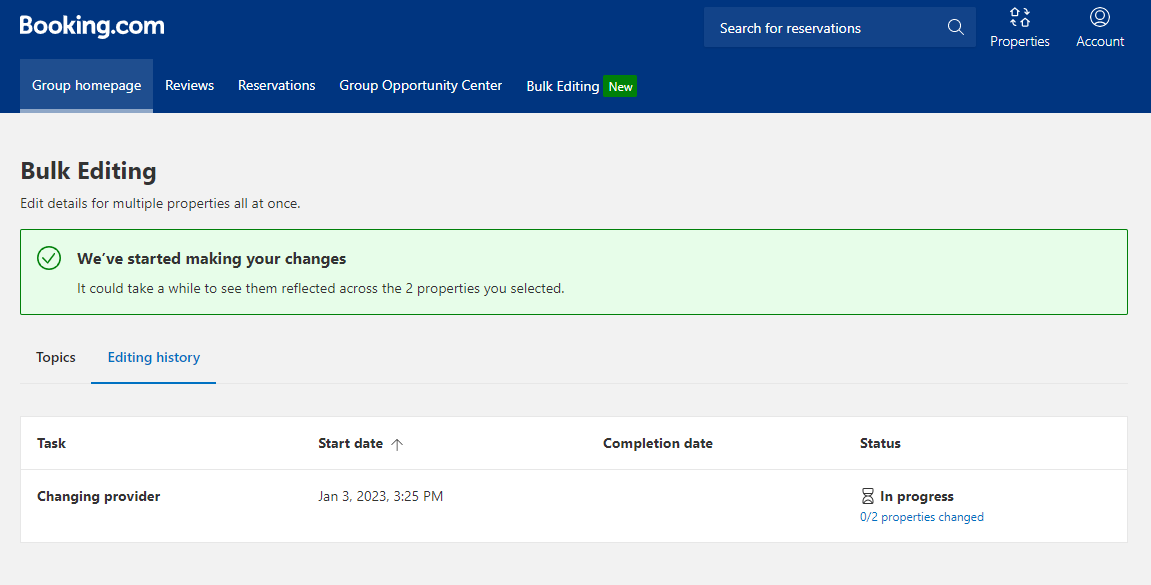
The support team will check that the account of each hotel is prepared for the connectivity, and whitelist the connectivity internally. After this has been processed, it will take up to 24 hours on business days until the setup is finalized, and GIATA will start maintaining your image content on Booking.com.
Check your connectivity providerIn your Booking.com extranet, go to Account > Connectivity provider.
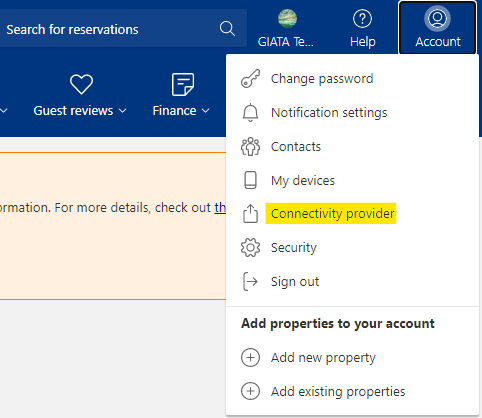
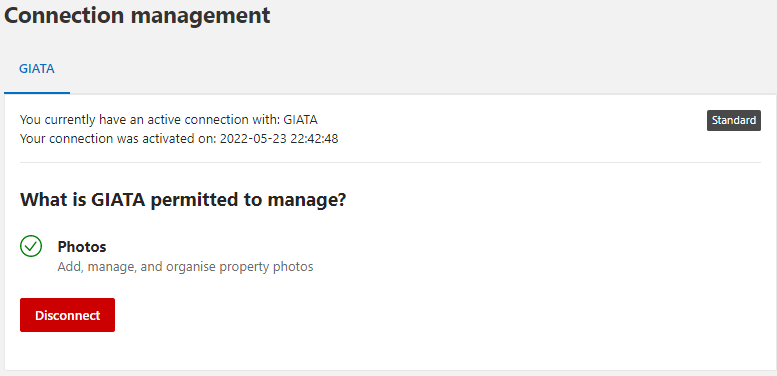
The Connection management page shows your active connection with GIATA.