
Think of it as a live bridge between your data and your guests. Once the initial setup is done, your
website always reflects what is in Q-Data — no emails to the webmaster, no copy-pasting, no risk
of outdated information staying online. Here is what that means in practice:
No manual updates: content stays in sync as soon as you save it in Q-Data
Works with any CMS: compatible with WordPress, Drupal, custom CMS, React, Vue, Angular
Controlled by the hotelier: you decide which data points appear and where
Minutes to propagate: changes appear on the website within minutes of saving
01 — What you receive from QUINTA
Before starting, QUINTA will provide three items. Do not begin until all three are confirmed.
- License key — a unique string for the
data-licenseattribute. Bound to this property only, formatXXXXX-XXXX. - Script URL — the
srcvalue for the Q-Share script tag. - Language code(s) — the
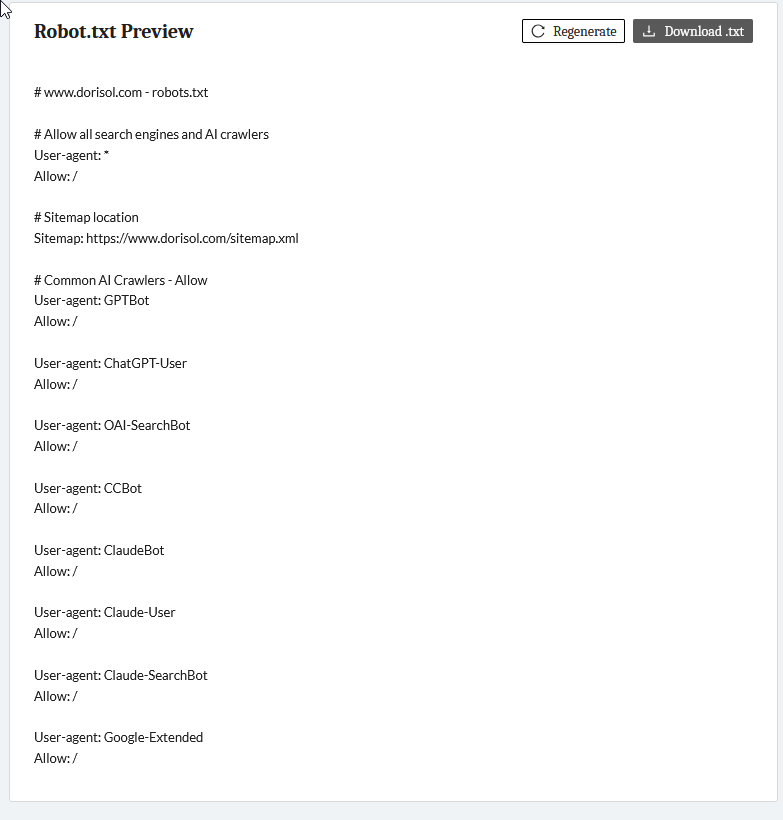
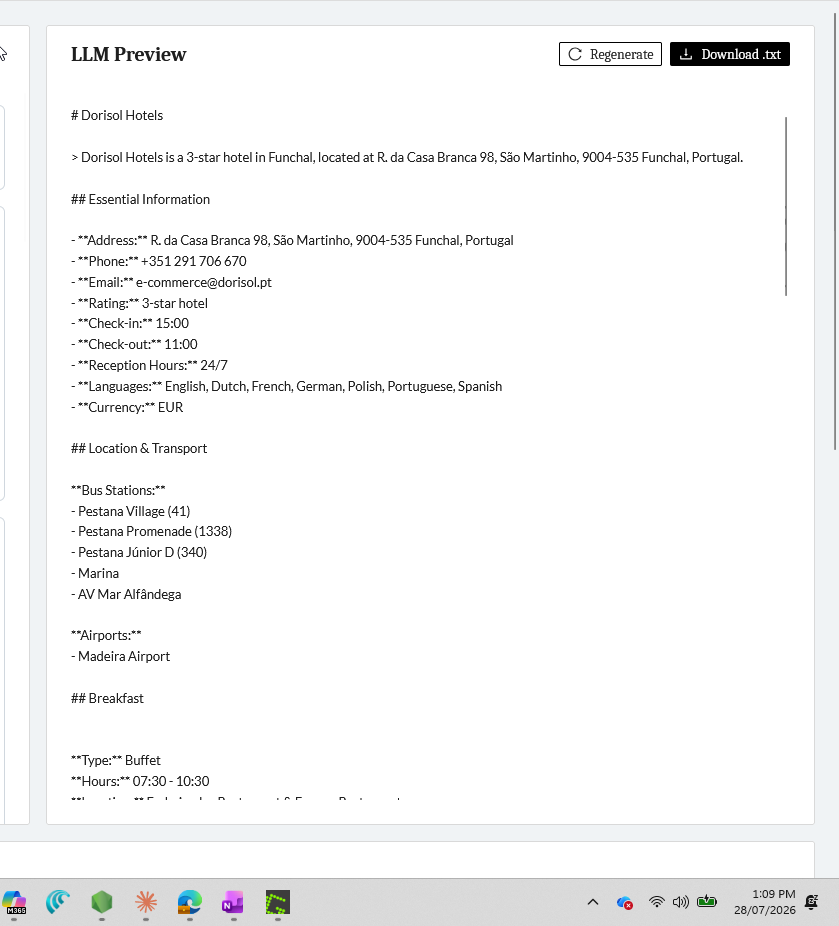
data-langvalue(s) matching the locale(s) of the website. - Robot.txt and Llm.txt files ==> More info What are Robot.txt and Llm.txt?
Important: The license key is unique per property. Never reuse it across different hotels or domains.
02 — Your implementation approach
Q-Share implementation follows three steps. Complete them before asking your webmaster to touch any code.
Step 1 — Audit your website
Identify pages that contain information that changes occasionally: restaurant hours, check-in/check-out policies, parking rates, spa schedules, service descriptions. These are your ideal Q-Share candidates — they benefit most from automatic updates.
A useful reference: Hotel Salvia Paris – General Information shows the type of page well suited for Q-Share.
Step 2 — Select data points and generate tags
Once you have your target pages, you need to identify which Q-Data fields map to each piece of content and generate the corresponding HTML tags. There are two ways to do this, depending on the size of your operation:
Option A — Use the Q-Share interface directly
Best for: individual properties or a small number of data points.
Log in to Q-Share and follow these steps:
1. Select the hotel property.
2. Choose a Dialog / Topic from the dropdown (e.g., Restaurant, Check-in, Spa).
3. Review the available data fields and tick the ones you want to display.
4. Click Generate to produce the HTML tags.
5. Copy the tags and send them to your webmaster.
Option B — Automate with Q-MCP + AI
Best for: hotel chains or portfolios with many properties and large numbers of data points.
Use Q-MCP together with an AI assistant (such as Claude) to analyse your target pages automatically. Ask it to identify which Q-Data fields correspond to the content on each URL, and generate a mapping Excel file with the Q-Share tags ready to copy and paste. This eliminates the manual selection step for each dialog.
Full data-point catalogue: Q-Share Data Point Catalogue
Step 3 — Hand off to your webmaster
Share the tags (or mapping file) with your webmaster. Their tasks are covered in Part B of this guide. Once live, any change you make in Q-Data propagates to the website automatically — no further code changes needed.
03 — How Q-Share works
Q-Share is a lightweight JavaScript library. When loaded on a page, it scans the DOM for elements carrying a data-point attribute, fetches the corresponding values from the hotel's Q-Data repository, and injects them as text content.
Updates made in the QUINTA platform propagate to the website within minutes — no re-deployment or CMS republication required.
04 — Script installation
Place the script tag immediately before the closing </body> tag on every page where content injection should occur.
<script src="https://q-share.quicktext.im/script.min.js" data-license="XXXXX-XXXX" data-lang="en" ></script> </body> </html>Replace XXXXX-XXXX with the license key provided by QUINTA. Set data-lang to the page language code.
Attributes
| Attribute | Required | Value |
|---|---|---|
src |
Yes | Script URL provided by QUINTA |
data-license |
Yes | License key provided by QUINTA |
data-lang |
Yes | Language code for injected content |
Supported language codes: en
For multilingual websites, include one script tag per language version — each with the corresponding data-lang value on its respective page or template.
Framework compatibility: Q-Share works with standard HTML, React, Vue, Angular, and server-side rendered stacks (WordPress, Drupal, custom CMS). The script must execute against the real DOM.
05 — Data-point tags
Add a data-point attribute to any HTML element where live content should appear. Q-Share replaces the element's inner text with the corresponding value from Q-Data at page load.
Basic usage
<!-- Hotel name --> <h1 data-point="10-20"></h1> <!-- Check-in time --> <span data-point="13-03"></span> <!-- Pet policy --> <p data-point="19-32"></p>Multi-entry dialogs — array notation
Some dialogs hold multiple entries (room types, restaurants, F&B outlets). Use zero-based array notation to target individual entries.
<!-- First restaurant name --> <span data-point="17-11[0]"></span> <!-- Second restaurant name --> <span data-point="17-11[1]"></span>Compatible HTML elements: <span>, <p>, <h1>–<h6>, <li>, <a>, <td>, and any block or inline element.
Recommended CSS rule:
[data-point]:empty { display: none; }Practical example — restaurant page
html<section class="restaurant"> <h2 data-point="17-11[0]"></h2> <!-- Name --> <p data-point="17-15[0]"></p> <!-- Cuisine --> <p data-point="17-20[0]"></p> <!-- Opening hours --> <p data-point="17-32[0]"></p> <!-- Dress code --> <p data-point="17-39[0]"></p> <!-- Reservation policy --> </section>06 — Data-point catalogue
| FID | Category | Content | Multi-entry |
|---|---|---|---|
10-20 |
Hotel | Hotel name | No |
10-25 |
Hotel | Hotel description | No |
10-42 |
Hotel | Star rating | No |
10-55 |
Hotel | Number of rooms | No |
11-02 |
Location | Address | No |
11-12 |
Location | City | No |
13-03 |
Check-in / Check-out | Check-in time | No |
13-04 |
Check-in / Check-out | Check-out time | No |
13-07 |
Check-in / Check-out | Early check-in policy | No |
14-01 |
Rooms | Room types | Yes |
17-11 |
Restaurant | Restaurant name | Yes |
17-15 |
Restaurant | Cuisine type | Yes |
17-20 |
Restaurant | Opening hours | Yes |
17-32 |
Restaurant | Dress code | Yes |
17-39 |
Restaurant | Reservation policy | Yes |
18-02 |
Spa | Spa name | No |
18-03 |
Spa | Spa description | No |
18-04 |
Spa | Spa opening hours | No |
19-32 |
Policies | Pet policy | No |
19-42 |
Policies | Cancellation policy | No |
20-22 |
Parking | Parking availability | No |
20-23 |
Parking | Parking price | No |
Full data point catalogue
07- Schema
Check this article for more info abour schema What is Schema and how to implement it?
08/ Robot.txt and LLM.txt
Your customer succes at Quinta will provide you with files needed to implement Robot.txt and LLM.txt
More info What are LLM.txt and Robot.txt?
09 — Go-live checklist
Complete all items before considering the integration live.
Hotelier:
- License key and script URL received from QUINTA
- Target pages identified and data-point mapping completed
- All selected dialogs are filled in Q-Data
Webmaster
- Script tag placed immediately before
</body>on all target pages data-langmatches the correct locale(s) of the site- At least 10
data-pointtags placed on priority pages (home, rooms, restaurant) - [data-point]:empty { display: none; } added to stylesheet
- CSS rule
[data-point]:empty { display: none; }added to the stylesheet - Injected values visible in the browser after page load
- Network tab shows Q-Share API calls returning HTTP 200
- Empty tag check: no unexpectedly empty tags remain
Need help? Contact your Customer Success Manager for support with mapping, interface questions, or implementation troubleshooting.